
 BlocksBuild with activities
Wistudi Blocks & Activities
Build learning one block at a time.
Wistudi’s native blocks power interactive activities, Flows, XP Video checkpoints, printable worksheets, reflection, collaboration and live teaching — all inside one connected learning system.
Growing native libraryFlows + XP VideoScreen → deskLive teaching
More than individual activities
The blocks are the building pieces of Wistudi.
One block can create a single interaction. Stack blocks together and they become complete learning journeys across Flows, XP Videos, live teaching and printable formats.
Modular by design
Build the exact learning sequence you need.
01
Choose a block
Start with practice, assessment, visual discovery, reflection, collaboration or teaching.
02
Stack blocks together
Move naturally from content to interaction, practice, feedback and reflection.
03
Use them across Wistudi
Place blocks in Flows or at checkpoints inside XP Videos.
04
Build something bigger
Turn the stack into lessons, training, courses, curricula and blended learning experiences.
A growing native block library
A lot of ways to learn. This is only a preview.
Browse a selection of Wistudi’s native blocks. Each preview is already open in the carousel. When a block reaches the centre, that intro plays.
The blocks shown here are only part of the wider library used across interactive lessons, XP Videos, assessment, collaboration, teaching and printable-connected learning.
Auto-browsing is on. The centre card plays; hover to pause or use the arrows to take control.
Blocks inside Flows
Stack blocks into complete learning experiences.
A Flow moves learners through a structured sequence of content, interaction, practice, reflection and assessment. The blocks are what build that journey.
Introduction & content
Interactive activity
Practice or assessment
Reflection or assignment
Flow demo · blocks working together
XP Video · active checkpoints
Blocks inside XP Video
Turn video into an active learning journey.
Interactive checkpoints interrupt passive watching at the right moment so learners can answer, practise, reflect and continue through the video as active participants.
Watch
Checkpoint activity
Continue watching
Reflect or assess
Interactive + printableBlocksBuild with activities  Interactive FlowConnect the lesson
 ScreenTeach interactively
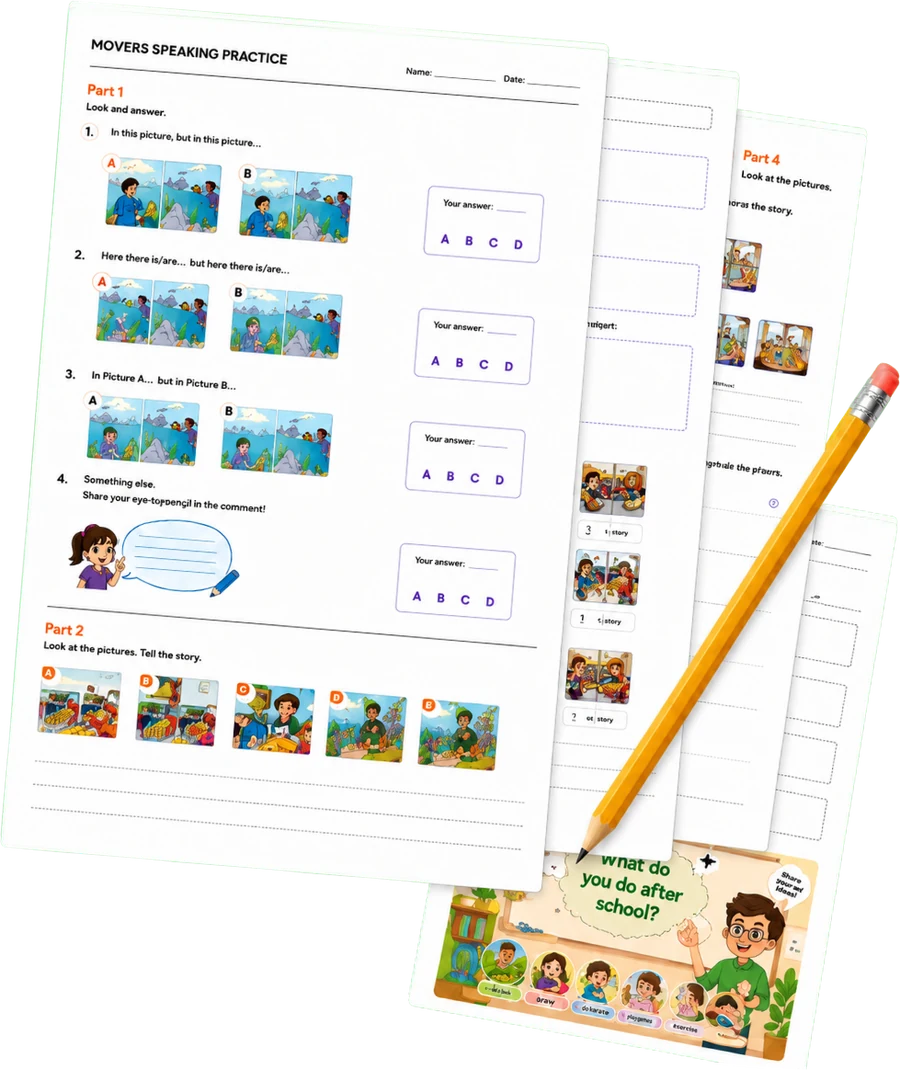
 Desk worksheetContinue on paper
From screen to desk.
Build the interactive learning once, then let the same lesson continue as paper-and-pen practice. Wistudi connects digital activities with printable worksheet output instead of forcing publishers to rebuild the lesson in another tool.
BlocksBuild with activitiesInteractive FlowConnect the lessonScreenTeach interactivelyDesk worksheetContinue on paperOne build. Two teaching formats.Build once. Teach across formats.
Interactive lesson on screen. Printable follow-up on desk. One connected learning experience.
Create more than activities
Use blocks to build real teaching and learning experiences.
The value is in what happens when different blocks work together.
Visual discovery lesson
Observe, discover, check understanding and reflect.

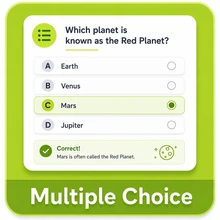
Collaborative classroom session
Gather opinions, teach visually and discuss together.
Assessment sequence
Move from quick checks to deeper learner work.
Language practice
Review, practise and complete language tasks.
Scenario-led training
Use choices and reflection to build decision-led learning.
Blended learning
Teach interactively and continue the same lesson on paper.
 → Worksheet
A block built for teaching
Teach live. Teach visually. Teach in the classroom.
The Whiteboard makes Wistudi feel less like a library of activities and more like a place you can actually teach. Use it inside a Flow for tutoring, live online teaching, classroom screens, workshops and training.
Integrated video conferencing shown in preview · rolling outClassroomBig-screen Flow teaching
Live onlineTeach and explain visually
Tutoring1:1 or small groups
WorkshopsInteractive facilitation
TrainingExplain, practise, discuss
AssignmentsSend, grade and review
Powerful independently. Expandable by design.
Native first. Integrate when you need more.
Wistudi already includes its own growing interactive block library. Its modular architecture also creates room for specialist external technologies to become part of the same learning stack.

Native Wistudi toolkit
Powerful on its own
Build interactive learning with Wistudi’s native activities, reflection, assessment, collaboration and teaching tools.
+

Modular architecture
Expandable by design
Connect specialist tools and partner technology through a modular architecture without fragmenting the learner experience.
Start with one block. Build something bigger.
Create an activity, stack it into a Flow, place it inside an XP Video, teach from it live, or extend it into a printable learning experience.